In my article on Fusion Markets, I already shared my experience of diversifying into the traditional markets. The goal is to uncover new opportunities so I can keep trading volatile assets around the clock. That means not only immersing myself in new markets, but also learning to use new tools! That’s why I decided to introduce you to METATRADER 5 in this short overview — an incredibly powerful and versatile platform for trading assets.
At first glance, this platform can feel a little disorienting, and it may look slightly dated to anyone used to the crypto markets — but with the right training, you’ll get the hang of it with ease!
The reality, however, is quite different. Once you’ve mastered it, you’ll discover that MT5 is an incredibly complete, well-designed and feature-rich platform. It has become MY go-to platform for trading Forex and commodities.
MetaTrader 5 – MT5
Born in 2010 thanks to the team at MetaQuotes Software Corp, the name “MT5” — or “MetaTrader 5” — is synonymous with a versatile online trading platform. It stands out for its first-class real-time charts and its wide range of features.
One of the features that makes MT5 so special is its ability to implement hedging strategies. This lets you open several positions at once, mainly to reduce risk — a feature especially prized by traders active on the Forex market.
MetaTrader 5 is a must-have for seasoned traders! This professional platform handles trading on Forex, stocks and futures. If you already have trading experience, it’s time to supercharge your strategy.
MT5 gives you a variety of tools to make your operations more flexible and refine your decisions: indicators, graphical objects for technical analysis, software-development aids, and much more.
One of those tools got a full guide of its own: Trade Assistant, the Market add-on that calculates your position size from your stop loss and places every order in one click. If you trade the traditional markets on MT4/MT5, it's the natural companion to this guide.
And the best part is that you can trade from anywhere thanks to this cross-platform tool. All you need is an internet connection to access MetaTrader 5 via the web or the mobile app on Android or iOS. To learn more about the features of this gem, take a look at the options offered by the broker Fusion Markets.
Who Is MetaTrader 5 For?
Experienced traders find that MetaTrader 5 fits their needs perfectly. That’s my view too, after getting to grips with it. It lets you manage several accounts with different brokers, provides price data, and even allows the use of special assets such as physical gold to collateralize positions opened on other instruments.
As for day traders, they want a trading platform that is fast, robust, reliable and powerful — and that’s exactly what MetaTrader 5 gives them.
MetaTrader 5 Features
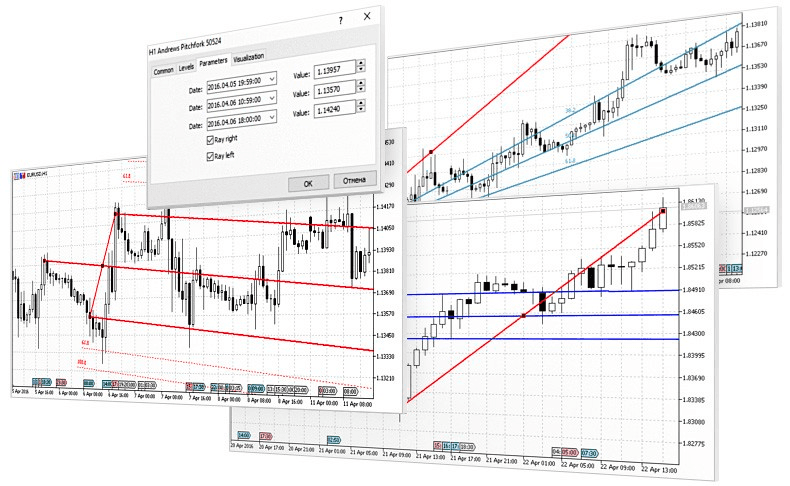
MT5 lets you open up to 100 charts of currency pairs and other financial products at the same time, allowing a complete analysis of the price movement of the underlying assets. With 21 different timeframes available, traders can gain insight into price fluctuations, even the most minor ones.
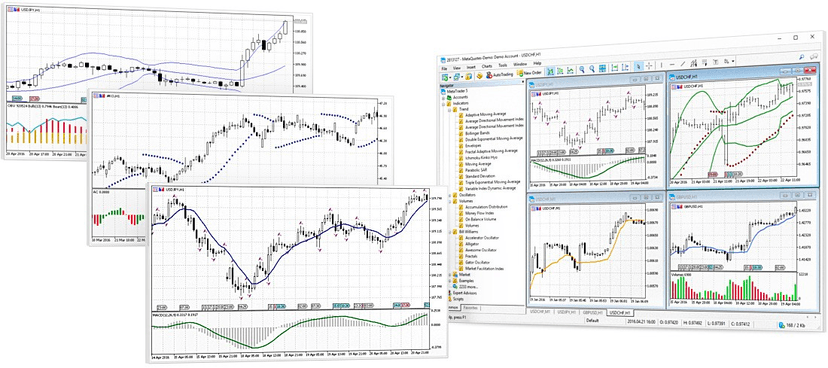
MT5 features a vast collection of technical indicators and analytical objects: 38 and 44 respectively. Among them, you’ll find Gann boxes as well as Fibonacci, geometric shapes and various channels. This set of tools makes in-depth technical analysis possible.
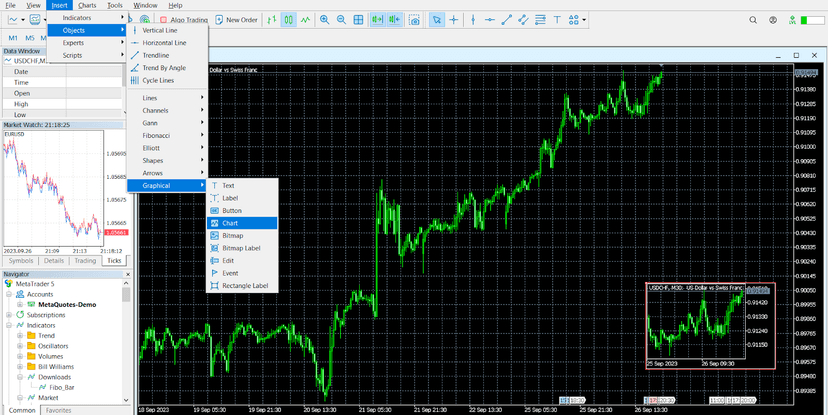
Among its noteworthy features, the platform offers a “chart-in-chart” function, which lets traders display a smaller chart inside the main chart. This feature enhances the ability to carry out detailed analysis.
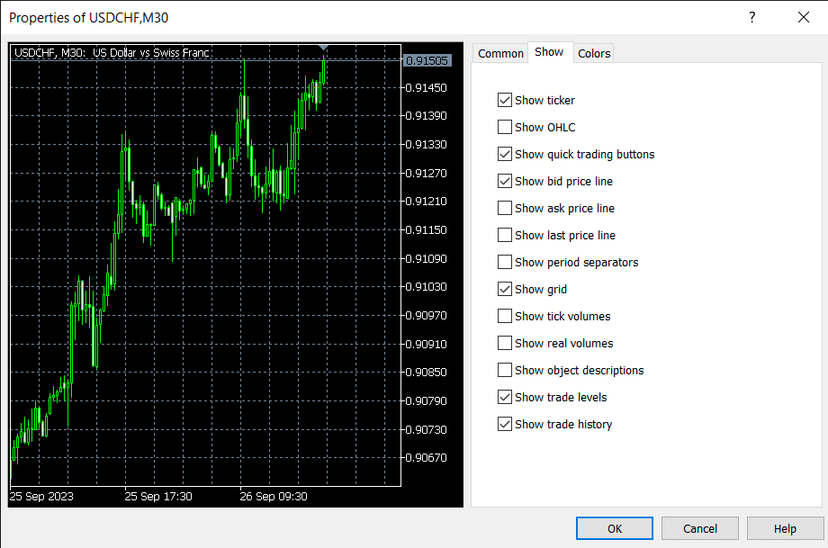
Traders can choose from different price formats, including OPEN, HIGH, LOW and CLOSE (OHLC), to customize how the open, high, low and close prices of the bars are displayed.
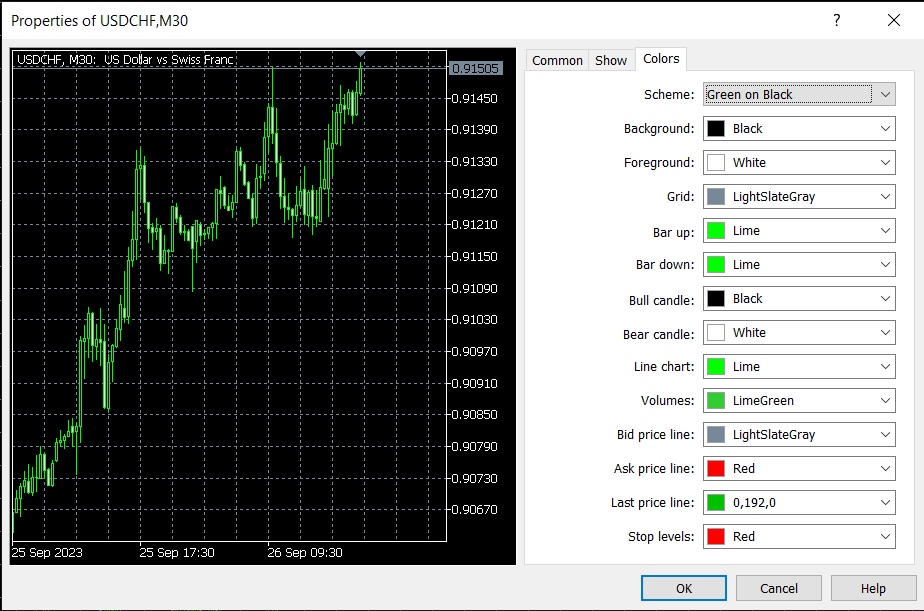
MT5 lets you customize the colors of the charts and their elements, improving the clarity and interpretation of price data — just like TradingView.
MT5 Trading: The Different Order Types
The 2 Market Orders
Orders known as market orders can be used to buy or sell financial assets. These orders are executed immediately after the order is sent.
The prices are as follows: buys are filled at the ask price and sells at the bid price. Be careful with this type of order, because you’ll have to pay the spread.
The 6 “Pending” Orders
These orders can be placed immediately, but they are usually executed at a specific moment and under predefined conditions. It’s a little like futures. The price the trader has set is the price at which buys and sells can be carried out.
Six pending orders are listed:
- Buy stop
- Sell stop
- Buy limit
- Sell limit
- Buy stop limit
- Sell stop limit
The Two Stop Orders
These two orders correspond to the “Take Profit” and “Stop Loss” orders.
The trader simply has to set a limit that must not be crossed. The order will be triggered automatically as soon as the threshold is reached, and the position will be closed immediately.
This type of order has the advantage of letting the trader make a lot of money if prices move beyond a certain level and the threshold they’ve set. The stop-loss order minimizes losses if prices fall.
By the way, I’ve got a free course all about the stop-loss!
The drawback of this type of order is that it has to be paired with a market order or a pending order.
The MetaTrader 5 Mobile App
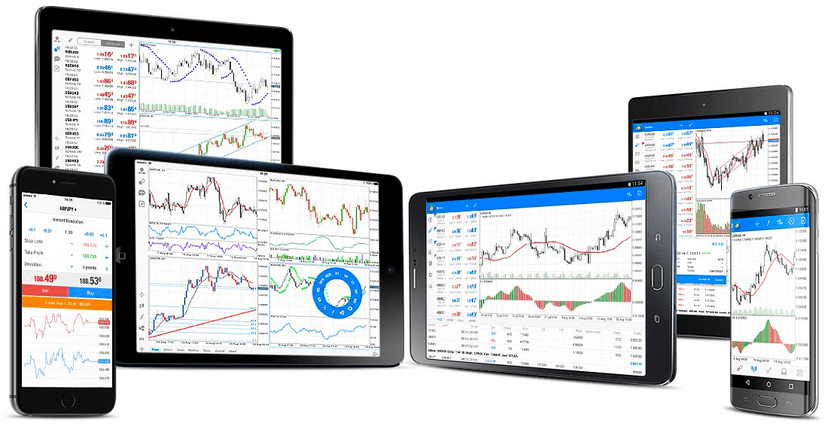
With MetaTrader 5, trading is at its best. It’s no accident that it’s so widely used. In fact, it’s offered free of charge by most brokers operating on the traditional markets.
Thanks to the MetaTrader 5 mobile app, you can carry out transactions not only from a desktop or laptop computer, but also on mobile devices running iOS or Android, as well as on tablets running Windows OS. This solution gives you the flexibility to trade in any situation, whether you’re at work or relaxing. That way, you can take advantage of all the features of the MT5 trading platform and every opportunity it offers.
Opening a Demo Account
Open a demo account first! We always encourage our community to get comfortable with trading using a demo account before diving into live trading. Unfortunately, some trading platforms don’t let you practise in demo mode, but MT5 does.
In fact, as soon as you’ve installed the app on your desktop computer or smartphone, you immediately have access to the financial markets through a demo account. It’s an excellent way to introduce new traders to the traditional markets and protect them from potential losses caused by a lack of knowledge.
As a reminder, most so-called “beginner” mistakes are made because of a lack of knowledge of tools such as the platform being used. That’s precisely why I make it a point of honor to produce my platform tutorials free of charge.
My Review of MetaTrader 5
My take on MT5 is fairly simple: if you want to trade financial instruments on the traditional financial markets, it’s quite simply the best platform, because it lets you trade every market: currencies (Forex), commodities, indices, stocks, CFD trading, and so on.
What’s more, it’s a platform available free of charge with any self-respecting broker, even if some modules are paid.
Finally, it’s the platform that will let you avoid all the variable fees that brokers’ native platforms might tack on — as with CTtrader — which are sometimes 2 to 3 times higher than on MT5.
As you can see, the advantages of trading on MT5 are clear! Applying your trading strategies on the major stock exchanges through this platform is therefore the best solution for you as a retail trader.
Getting Started with MetaTrader 5

Every guide here is free. Browse the full course and join a community of traders who share ideas every day.