MetaMask is a free, easy-to-use hot wallet. It lets you keep your crypto safe and trade on decentralized exchanges (DEXs); that’s why I’m walking you through this quick guide, along with some context on MetaMask Wallet.
Since October 2022, it has also been possible to transfer fiat onto this wallet! But that changes nothing, because hot and cold wallets are THE essential step for protecting your crypto from the ups and downs of the market.
It’s also thanks to this feature that no KYC is required, since the legislation covering this type of “offline” wallet is lagging behind.
That’s surely something some of us won’t complain about!
How Does MetaMask Work?!
For those who are curious, MetaMask’s job is to inject a JavaScript library built specifically by the core Ethereum team, called web3.js, directly into every page your browser loads.
It’s mainly used as a plugin in your browser. In this tutorial, we’ll walk through the steps to install it on Google Chrome.
MetaMask is software that lets users store and access their cryptocurrencies securely. It’s an easy-to-use program that offers a safe, convenient way to manage your digital assets. It lets users track their investments, manage their accounts and carry out transactions securely. MetaMask is also a web browser add-on for managing Ethereum and other ERC-20 tokens, such as USDC and Dai, as well as Binance’s BNB blockchain and the Avalanche network.
Is MetaMask the King of P2P?!
Peer-to-peer cryptocurrency exchange is known as crypto-swapping. This process involves swapping one form of digital currency for another. MetaMask offers exactly that: an innovative P2P token-swap feature that requires no order books, liquidity models or exchanges, and that aggregates information from several decentralized exchanges. Users can access dApps through a working crypto wallet.
MetaMask is an account in which the user keeps control of their money or tokens, but if security measures aren’t taken — such as keeping your recovery keys safe or disconnecting the wallet from the web after trading — the funds can be lost. That’s one of the reasons a short MetaMask tutorial was needed!
Unlike a cold wallet such as a Ledger, MetaMask lets users customize transaction fees and gas prices.
The unique features of the MetaMask wallet include the fact that it’s a hardware wallet that lets users access Ethereum blockchains without relying on a full node. For cryptocurrency newcomers, this wallet is a good choice to begin their blockchain journey, because it’s easy to use.
MetaMask is a popular, open-source Ethereum wallet with a handy interface, reliable customer support and support for ERC-20 swaps. It’s integrated with the Coinbase, KuCoin and ShapeShift exchanges.
Is MetaMask Still as Safe as Ever?
Until recently, MetaMask was regarded by crypto veterans as software that guaranteed an excellent level of security and preserved the anonymity of transactions, provided you followed the basic security rules.
For example, using a genuine VPN is always recommended.
However, ConsenSys, the parent company of the popular non-custodial crypto software wallet MetaMask, updated its privacy policy to include a stipulation that every transaction routed through MetaMask’s Infura RPC tool will collect the user’s IP and ETH wallet addresses.
This change raised concerns among users about potential fears of surveillance and centralization.
MetaMask is a popular non-custodial wallet used by more than 21 million people. With cybercrime still a problem, wallet thefts and hacks are on the rise. This has led to growing demand for non-custodial wallets, which are safer than those that store your private keys. Other decentralized projects also store users’ personal data in order to collect information such as browser and hardware details. Coinbase stores IP data too.
MetaMask, a Data Collector?! Here Are the Consequences!
The latest changes to ConsenSys’s privacy policy caused worry and irritation among its customers, as it was revealed that any user working with Ethereum or MetaMask would have to provide their IP address and wallet address to Infura, the company-owned RPC provider. The company has since clarified that the policy changes did not mean an increase in the amount of data collected or processed, and that the policy already stated that certain information was automatically gathered about how sites were used, with IP addresses potentially included.
Many users, outraged by the privacy policy update, moved their MetaMask holdings to a cold wallet such as a Ledger because of this “centralized” decision. The conversation spread to Reddit, where some users pointed out just how increasingly centralized the financial industry has become, and how the cryptocurrency industry is less and less shielded from this broad centralization drive imposed by regulators of every stripe.
Concerns That Were Heard!
Users’ concerns were heard, with the developers assuring that the data gathering is simply an analytics-logging issue that is on its way to being resolved, adding that an option is available for users to choose a different RPC.
An RPC is a type of remote procedure call that enables a connection between web3 blockchains like Ethereum, Bitcoin and beyond. When a user accesses a dApp, such as a decentralized exchange, the request is routed through an RPC that connects them to the nodes holding the blockchain’s data. The introduction of stricter regulations and increased enforcement of anti-money-laundering rules has led many companies to share user details with other companies. KYC requirements have become stricter, making anonymous cryptocurrency swaps harder, including those carried out through non-custodial wallets like MetaMask.
Always keep your digital assets in a cold wallet, use a VPN and practice genuine “cyber hygiene” to protect them. In 2023, choose a VPN that supports cryptocurrencies, offers solid privacy and protects your IP.
Better than melatonin! Sleep easy, sleep with your well-stocked cold wallet under your pillow!!!
How to Use MetaMask: Installation
Step 1: Head to the Chrome plugin download page.
Step 2: Search for “Metamask”, or directly Metamask Chrome on Google.
Step 3: Check that you’re downloading the right extension using a few simple indicators:
- the number of reviews: 2,660+ as of 19/07/22
- the number of users/downloads
- the extension’s certification
- how thorough the listing page is
- the quality of the reviews
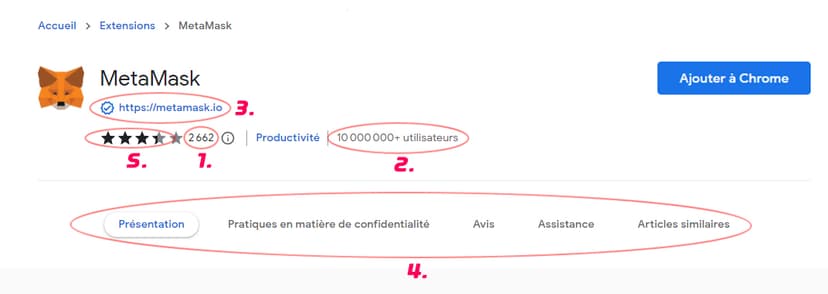
Step 4: Once the security checklist is complete, you can add your extension to Google Chrome.
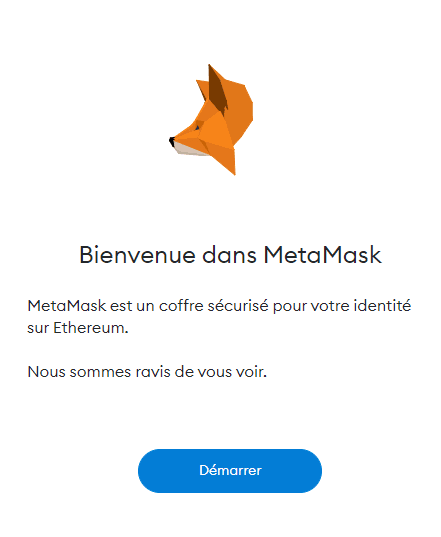
Step 5: Once your extension has finished installing, you should see the confirmation screen shown below. You can click the “Get Started” button.
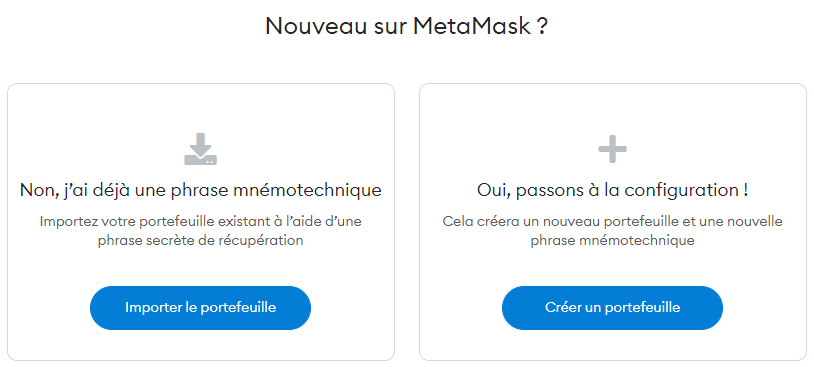
Step 6: If this really is your first time on MetaMask, or you want to create a new wallet to keep your coins stored separately — which is what I recommend — click the button on the right once you reach the screen below. This will let you create a new wallet.
Step 7:
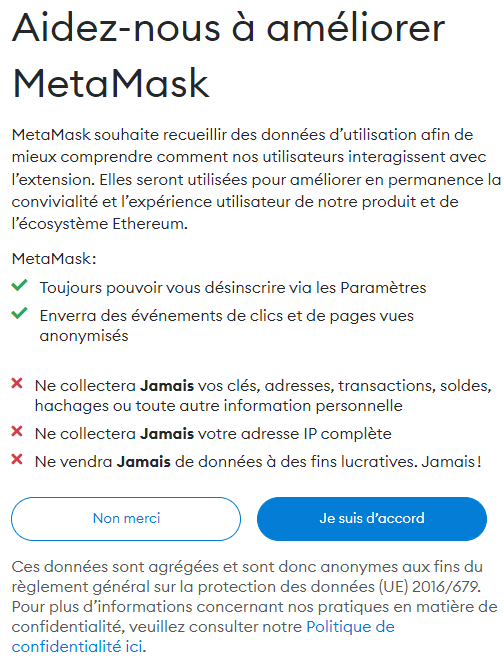
Heads-up: you’re absolutely not required to accept this step in order to move on to the next one
This is actually the anonymous collection of data tied to how you use MetaMask, so that the developers can improve the user experience. As suggested above, it isn’t mandatory.
Step 8 of Creating Your MetaMask Hot Wallet
Create a password for your wallet. This password has to be entered every time the browser is launched and wants to use MetaMask.
Creating a new password is necessary if Chrome is uninstalled or if you switch browsers. In that case, you’ll need to use the “Import an existing wallet” button. This is because MetaMask stores the keys in the browser.
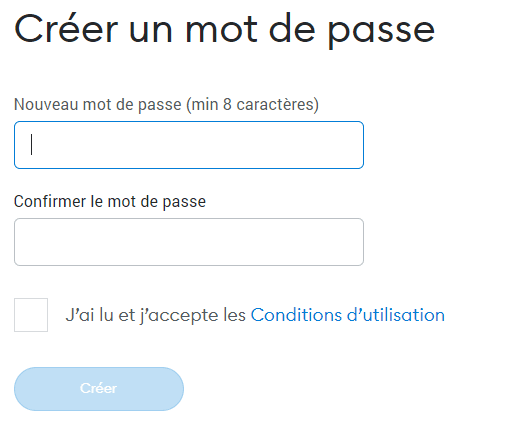
Once you’ve set a new, ultra-secure password, you can start creating your wallet by pressing the “Create” button after accepting the terms of use.
Step 9: Introduction to Securing Your Wallet
MetaMask has put together a short walkthrough to remind you how important your secret keys are and how to use them best to secure your crypto. Once the walkthrough is done, move on.
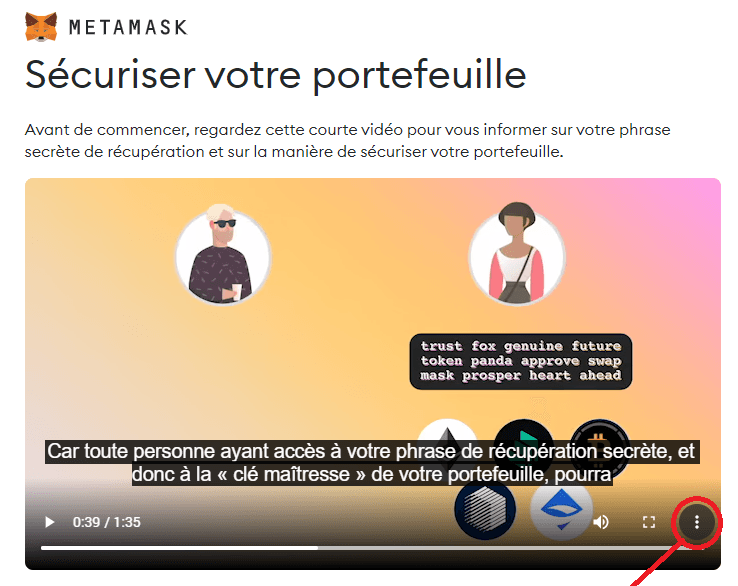
English subtitles are available by clicking the three small dots at the bottom right.
Step 10: Create Your Secret Key
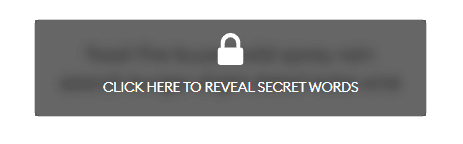
Click the dark area to reveal your secret key and save it on one or more independent supports that are disconnected from your computer (on paper, a mobile phone, an offline computer, and so on). You’ll understand from step 10 onward that memory alone isn’t enough.
Step 11: Confirm Your Key
Once the key has been revealed, as you move on to the next step, you’re asked to enter it back so it can be verified that you saved it correctly. Take your time to read all the recommendations. In fact, it’s clearly recommended to write your keys down in separate paper notebooks spread across several locations so you never lose them. There are far too many stories of guys hunting for an old hard drive, so please don’t make the same mistake.
Step 12: Confirmation and … Congratulations, Your MetaMask Account Is Created!
MetaMask: Good Advice Once Your Wallet Is Created.
- Save your keys on different supports spread across several physical locations.
- Never share your key with anyone.
- Watch out for phishing! MetaMask will never spontaneously ask you for your seed phrase.
- If you need to find your key again, you can locate it in Settings -> Security.
How to Deposit Money into MetaMask
Users first copy the address from the app or the extension, then paste it into the receiving-address field of the sending wallet in order to deposit a cryptocurrency into the wallet. Pass-phrases act as a password to protect the cryptocurrencies a person holds in the MetaMask wallet.
Warning!!! Never give out your pass-phrase — malicious hackers would be able to make a copy of the crypto wallet and steal all your money. “My strongbox, someone has stolen my strongbox!!” And be sure to always disconnect your wallet after every use!”
How to view your NFTs on MetaMask, and how to secure your MetaMask even further, are new questions we’ll answer soon in this complete guide!
For more free trading and crypto courses, our trading blog is where it all happens!
Every guide here is free. Browse the full course and join a community of traders who share ideas every day.